Technology · 10 min read · May 19, 2026
WooCommerce vs Shopify Analytics: Which Platform Gives You Better Business Intelligence?
A feature-by-feature comparison of the native analytics capabilities of WooCommerce and Shopify — covering reporting depth, data export options, and integration with third-party intelligence tools.
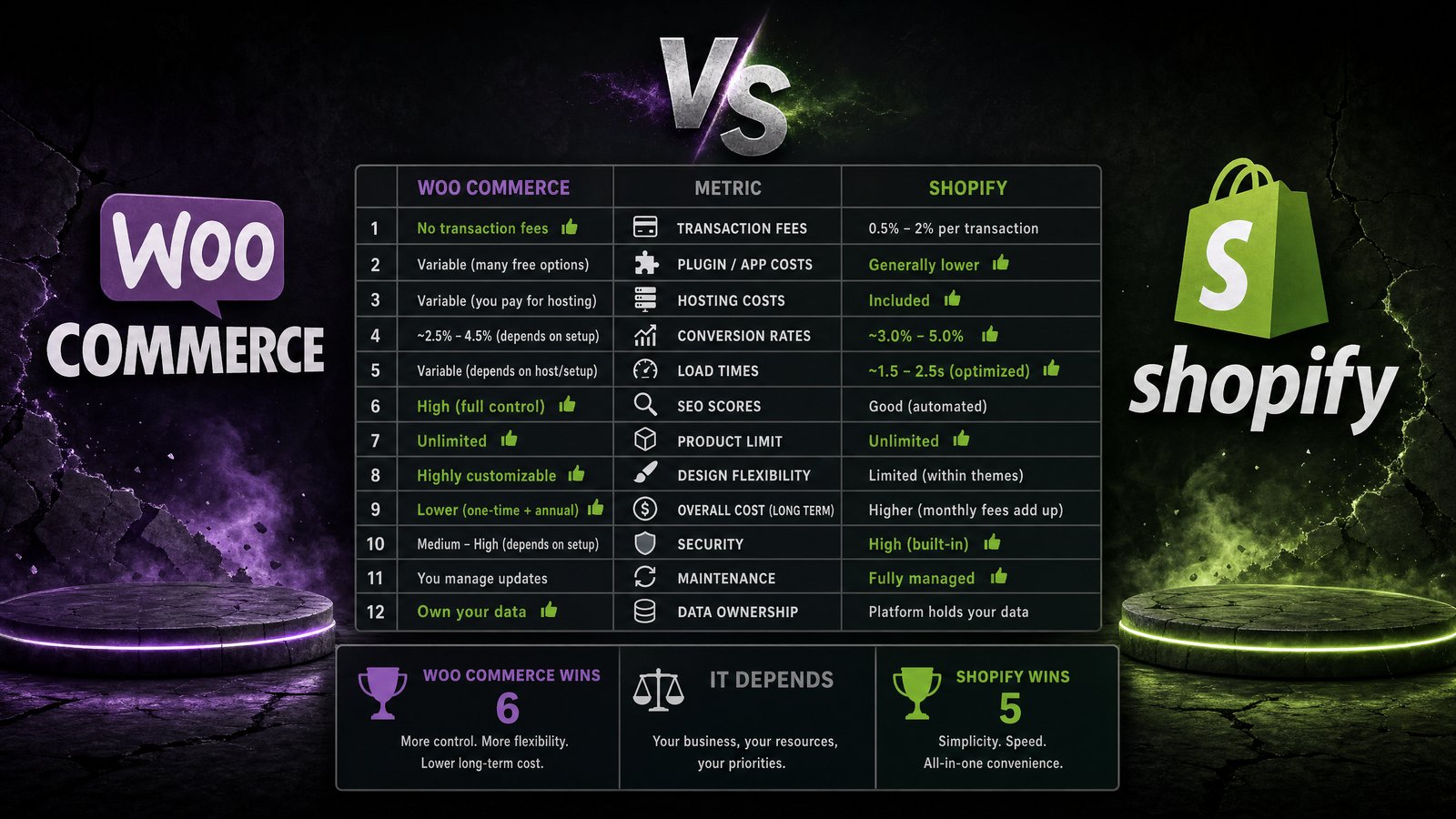
WooCommerce vs Shopify Analytics: Which Platform Gives You Better Business Intelligence?
Editor's note (July 2026): Since this guide was first published we have watched hundreds of stores wrestle with exactly this decision, and one pattern keeps repeating: the platform you pick matters far less than whether you actually read the numbers it gives you. WooCommerce and Shopify both surface plenty of raw data — the hard part is turning a dashboard into a decision before your morning coffee goes cold. That is precisely the gap a plain-English briefing fills: instead of logging into two admin panels and reconciling them yourself, you get one short email that says what changed, why, and what to do next. Keep that lens in mind as you read the comparison below — "more charts" is not the same as "more clarity," and for most owner-operated stores the winning setup is whichever data source is easiest to export or connect. If you want to sanity-check your own numbers right now, our free Marketing Pulse Score Calculator grades your overall marketing health from 0–100 in under a minute — no signup, and the numbers never leave your computer. In the dynamic world of e-commerce, understanding your business performance is paramount. Merchants rely heavily on analytics to track sales, monitor customer behavior, and identify growth opportunities. When choosing between leading platforms like WooCommerce and Shopify, a critical consideration is their native analytics capabilities and how effectively they provide actionable business intelligence. This comparison delves into the strengths and weaknesses of each platform's analytical offerings, helping you determine which solution aligns best with your data-driven decision-making needs.
In the dynamic world of e-commerce, understanding your business performance is paramount. Merchants rely heavily on analytics to track sales, monitor customer behavior, and identify growth opportunities. When choosing between leading platforms like WooCommerce and Shopify, a critical consideration is their native analytics capabilities and how effectively they provide actionable business intelligence. This comparison delves into the strengths and weaknesses of each platform's analytical offerings, helping you determine which solution aligns best with your data-driven decision-making needs.
Native Analytics Capabilities
Both WooCommerce and Shopify offer built-in analytics tools designed to give merchants a foundational understanding of their store's performance. However, their approaches to data presentation, depth of reporting, and customization options differ significantly, influencing the overall business intelligence experience.
Reporting Depth
Shopify's native analytics dashboard is renowned for its user-friendly interface and comprehensive, out-of-the-box reports. It provides a clear overview of key metrics such as total sales, online store sessions, conversion rates, average order value, and top products. Merchants can easily access reports on sales by channel, product, and discount, as well as customer reports detailing purchasing habits and lifetime value. The platform also offers real-time data, allowing for immediate insights into current store activity. This robust suite of reports is particularly beneficial for businesses seeking immediate, high-level insights without extensive setup.
WooCommerce, being a plugin for WordPress, integrates its analytics directly within the WordPress dashboard. Its default reporting includes sales by date, product, category, and coupon usage. It also tracks customer data, stock levels, and tax reports. While functional, WooCommerce's native reporting is generally less visually intuitive and offers a more basic level of detail compared to Shopify. For deeper insights, WooCommerce users often need to rely on extensions or integrate with Google Analytics 4 (GA4), which requires additional configuration. The core strength of WooCommerce lies in its flexibility, allowing users to build a highly customized analytics environment, albeit with more effort.
Data Export Options
For businesses that require further analysis in external tools or need to share data with stakeholders, data export capabilities are crucial. Both platforms offer ways to extract data, but with varying degrees of ease and flexibility.
Shopify provides straightforward options to export most of its reports into CSV files. This allows merchants to download sales data, customer lists, product information, and more, which can then be imported into spreadsheets or business intelligence tools for custom analysis. While convenient for basic exports, more complex or automated data synchronization often requires third-party apps or custom API integrations.
WooCommerce, due to its open-source nature, offers greater flexibility in data export, especially with the right plugins. While its default export options might be less streamlined than Shopify's, a vast ecosystem of extensions allows for highly customized data exports, including various formats and scheduling options. This makes WooCommerce a powerful choice for businesses with specific data warehousing or advanced reporting requirements, provided they are willing to invest in the necessary plugins and configuration. The ability to directly access the database also offers unparalleled control for developers.
Customization and Extensibility
The ability to tailor analytics to specific business needs is a significant differentiator between the two platforms, especially when considering the long-term business intelligence strategy.
Shopify's analytics, while comprehensive, offers limited native customization. Merchants can filter and segment existing reports to some extent, but creating entirely new report types or deeply modifying the data collection process typically requires upgrading to higher-tier plans or integrating with third-party analytics applications. The platform's strength lies in its curated app store, which provides numerous solutions for enhanced analytics, often with seamless integration. This approach suits businesses that prefer ready-made solutions and a managed environment.
WooCommerce excels in customization and extensibility. As an open-source platform, it allows developers full access to its code and database. This means that with sufficient technical expertise, merchants can build highly specific tracking, custom reports, and integrate virtually any analytics tool directly into their store. This level of control is invaluable for businesses with unique data requirements or those looking to develop proprietary business intelligence systems. However, this flexibility comes with the responsibility of managing and maintaining these customizations, which can be a significant undertaking.
Integration with Third-Party Intelligence Tools
Beyond native capabilities, the true power of e-commerce analytics often comes from integrating with specialized third-party business intelligence tools. These integrations can provide deeper insights, predictive analytics, and consolidated reporting across multiple data sources.
Popular Integrations
Both platforms support integration with a wide array of popular analytics and marketing tools, but the ease and depth of these integrations can vary.
Shopify has a well-developed app ecosystem that facilitates integrations with tools like Google Analytics 4 (GA4), Meta Pixel, and various CRM and marketing automation platforms. Many of these integrations are available as one-click installs from the Shopify App Store, making it easy for merchants to extend their analytics capabilities. For more advanced business intelligence, integrations with platforms like Tableau, Power BI, or custom data warehouses are often achieved through connectors or specialized apps.
WooCommerce, leveraging the vast WordPress plugin ecosystem, also offers extensive integration possibilities. Plugins are available for GA4, marketing automation, and CRM systems. For complex business intelligence needs, WooCommerce's open architecture makes it highly compatible with custom data pipelines and direct database connections, allowing for robust integration with enterprise-level BI tools. This often requires more technical expertise but provides unparalleled control over data flow and transformation.
Ease of Implementation
The effort required to implement and maintain third-party integrations is a practical consideration for any business.
Shopify's managed environment generally translates to easier implementation of third-party tools. Many apps are designed for non-technical users, offering guided setups and minimal configuration. Most analytics and reporting apps follow the same pattern: install, authorize, and the data starts flowing. For merchants who want deeper insights without touching code, this is a genuine advantage — the ecosystem is built around the assumption that you are running a business, not a server.
WooCommerce requires more hands-on work to reach the same level of reporting. Because it runs on WordPress, the responsibility for setup sits with you: choosing an analytics plugin, configuring event tracking, and often connecting Google Analytics 4 (GA4) with enhanced e-commerce enabled before you get funnel-level visibility. Each step is well documented, but each step is also yours to maintain. Plugin updates can change what data is collected, hosting performance affects how fast reports load, and a conflict between two extensions can silently break tracking until someone notices a gap in the numbers. None of this is a reason to avoid WooCommerce — it is simply the real cost of its flexibility. Teams with a developer or a technically confident owner absorb this easily; solo founders who already wear six hats often find the maintenance burden is where good analytics intentions go to die. The practical takeaway: Shopify gets you to reliable reports faster out of the box, while WooCommerce rewards the investment of setup time with a level of control Shopify cannot match.
The Verdict: Which Should You Choose?
There is no universal winner here, and any article that tells you otherwise is selling something. The right choice depends on two honest questions about your situation.
Choose Shopify if you want dependable analytics with minimal setup, you don't have (or don't want) a developer involved in your store, and you'd rather spend your time acting on numbers than configuring how they're collected. Its native reports cover the metrics most growing stores actually use, and the app ecosystem fills the gaps with guided, non-technical setups.
Choose WooCommerce if you have technical skills in-house, your business model demands custom tracking or unusual data flows, or you want full ownership of your data and infrastructure. The ceiling on what you can build is far higher — you just have to build it.
Whichever platform you pick, the analysis layer matters as much as the data source. Both platforms produce plenty of raw numbers; the bottleneck for most founders is finding time to read them and decide what they mean. That's the problem DawnPulse is built to solve, and it works with both platforms: connect Shopify in one click and your data syncs automatically every day, or export a CSV or Excel file from WooCommerce and upload it — orders, revenue, and product performance are read the same way. Either route ends at the same place: one daily briefing in plain English that tells you what changed, why, and what to do next, plus 7-day projections with honest ranges so you can plan the week ahead. If you run stores on both platforms, you can bring both datasets into the same view instead of reconciling two admin panels by hand.
The best analytics setup is not the one with the most charts. It's the one you actually look at every morning — and act on.
Whichever platform you choose, the built-in reports only tell part of the story. Connect Shopify to DawnPulse in one click — WooCommerce works too, via CSV/Excel upload — and get an AI-powered daily briefing on what changed in your store and what to do next. Running paid campaigns alongside your store? The free Blended ROAS Calculator shows your true return across every channel, not just the one claiming the last click.